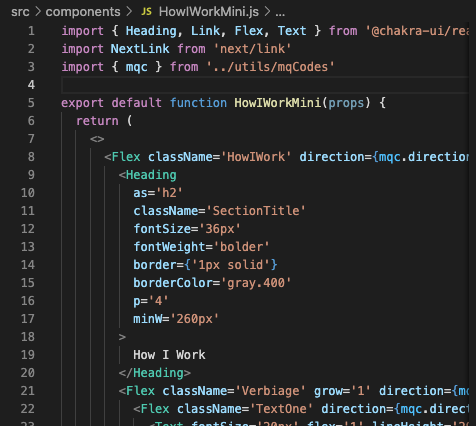
Top 5 Coding Software Tools Every Beginner Should Know
For those just starting their journey into the world of programming, choosing the right tools can significantly impact the learning process. Here are the Top 5 Coding Software Tools every beginner should know:
- Visual Studio Code: This powerful code editor is highly versatile, supporting various programming languages. Its vast array of extensions and built-in features make it ideal for beginners.
- Sublime Text: Known for its speed and simplicity, Sublime Text offers an intuitive interface that helps newcomers focus on writing code without distractions.
- Atom: Developed by GitHub, Atom is a free, open-source text editor that allows for easy collaboration and customization, perfect for those learning to code.
- PyCharm: For aspiring Python developers, PyCharm provides an integrated development environment (IDE) that simplifies coding with its smart code completion and debugging tools.
- Eclipse: As a well-established IDE, Eclipse is ideal for beginners interested in Java and C++. Its extensive plug-in system and supportive community make it a valuable resource.
How Coding Software Can Boost Your Productivity in a Digital Workspace
In today's fast-paced digital workspace, coding software has emerged as a vital tool for enhancing productivity. With features such as automated code suggestions, real-time error detection, and integrated development environments (IDEs), programmers can streamline their workflow. Instead of spending hours troubleshooting minor issues, these tools allow users to focus on innovation and efficiency. By reducing the time spent on repetitive tasks like debugging, developers can allocate more energy towards solving complex challenges and creating high-quality output.
Moreover, the collaborative features offered by many coding software solutions promote a more connected and efficient team environment. Tools like version control and cloud-based repositories enable developers to work concurrently on projects without the fear of losing progress or overwriting each other's contributions. This level of collaboration not only accelerates project timelines but also fosters a culture of shared knowledge and continuous improvement. As teams adopt such technologies, they find themselves better equipped to meet deadlines and respond to changing demands in the digital landscape.
What to Look for When Choosing the Right Coding Software for Your Needs
When selecting the right coding software for your needs, it is essential to consider several factors that can enhance your programming experience. Functionality is paramount; ensure the software supports the programming languages you intend to use. Additionally, evaluate the user interface – a clean and intuitive layout can significantly improve productivity. You should also look for features such as syntax highlighting, code completion, and debugging tools. Most importantly, consider the compatibility of the software with your operating system and any frameworks or libraries you plan to implement.
Another critical factor is community support and resources available for the software. A robust community can offer valuable assistance through forums, tutorials, and plugins, further extending the software's capabilities. Moreover, the pricing model should fit within your budget; some software offers free versions or flexible payment plans that can accommodate both beginners and professional developers. Lastly, take advantage of trials or free versions to test the software's features and performance before making a commitment.